THERESIA K.
Graphic/ UIUX Designer
based in BSD, Serpong
1. Prepare rough concept
RELAY App

For this personal project I wanted to create an App that can help people during “Quarantine Season”. The Covid-19 pandemic has resulted in Social Distancing and many people are stuck in their homes with not much to do.
On the left, I made a rough concept of the purpose of the App and some of the pages that we can create.

In addition to the concept, I tried to create a User Persona based on assumption. By that, I mean without interviewing people, judging by several of my friend's and colleague's behaviour.
2. FLow Chart (main Feature)

3. Prepare rough sketch (super low-fi)

Just to get a rough idea of the flow, I did a flow chart of the main feature and signing in to the app. (above picture)
Also a super quick sketch of the flow just to get an idea of the user's experience when first opening the app.
Tools: paper, pencil
Software: Overflow
4. Name + Logo COncept


Name: RELAY
The name came to me while working on the interface,.Since the concept is about starting something that others can follow, reminded me of Relay Races.
Logo: Share & Play
A combination of Share icon & Play icon
5. Designing the Interface


Onboarding
Onboarding pages are created to give users a highlight of what the app is about.
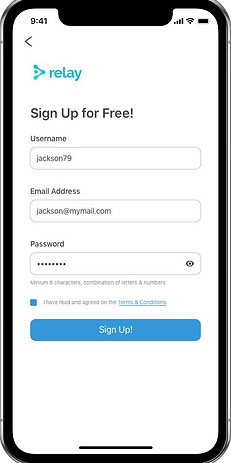
Getting in to the App A “Skip for now” option is given to allow users to take a look at the app without having to Sign Up first. Only when users want to take certain actions, then they will be directed to the Sign Up Page.
Negative Case,


Negative Case
Example


Home Page
The Initial concept was the first Alternative. A common “incident” or habit that I learned to embrace is getting new ideas during the process.
This is why I need the help of a Team, to help process new ideas and figure out priorities in pages.
For the second Alternative, I created a new design and added “MVP Section” to highlight the people and not just the challenges.

Detail of Challenges
The page enables Users to get a clear explanation on how the challenge is done, A video example is given by the creator. The video is viewed in Full Screen Also, a View Entires button that directs users to another page where they can view videos that have been submited.